What NEW
RedM Config Editor
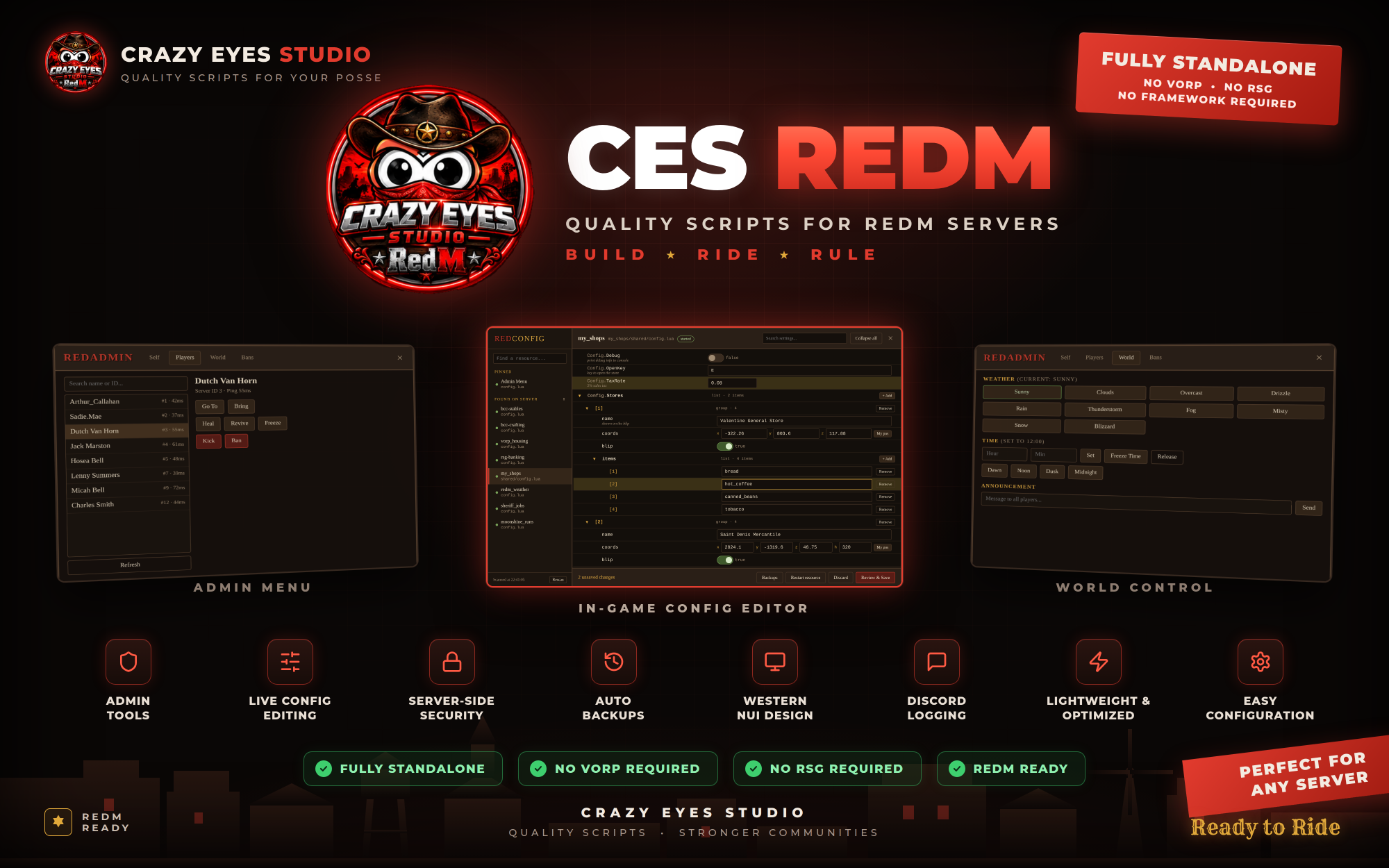
RedConfig — In-Game Configuration Editor for RedM
Stop restarting your server and digging through config files every time you need to make a simple change.
RedConfig gives authorized administrators an easy-to-use in-game configuration editor for your RedM server. Edit supported configuration values directly through a modern NUI interface, save your changes, create backups, and restart supported resources without leaving the game.
Fully standalone — no framework required.
🔥 Key Features
- In-game configuration editor
- Standalone RedM resource
- No framework required
- ACE permission support
- Automatic config discovery
- Pinned configuration files for quick access
- Save configuration changes directly from the UI
- Save & Restart supported resources
- Automatic backups before every save
- Backup history and restore functionality
- Up to 15 backups per configuration file
- Live resource status information
- Rescan resources for newly added configuration files
⚙️ Supported Configuration Values
RedConfig automatically detects and provides the appropriate editor for many common Lua configuration values.
- Text values — Edit strings through text fields
- Numbers — Built-in number validation
- True / False — Easy toggle controls
- Vector3 / Vector4 — Edit coordinates and heading
- My Position — Automatically enter your current RedM position
- Lists — Add or remove list entries directly from the editor
- Hash Names — Edit supported model/hash values
Values that cannot safely be edited through the interface are displayed as locked and can still be changed directly inside the configuration file.
🔎 Automatic Configuration Discovery
RedConfig can scan your RedM resources and automatically find supported configuration files.
Instead of manually adding every config file, administrators can use the built-in Rescan feature to discover supported configurations across the server.
For additional control, server owners can also pin specific configuration files and assign custom labels and permissions.
🔐 Permission & Security System
Access is controlled through RedM/FiveM ACE permissions, allowing server owners to control who can use the editor and which configuration files they can access.
- Configurable ACE permission
- Separate permissions for discovered configurations
- Optional per-file ACE permissions
- Protected configuration values
- Server-side file reading and writing
- Server-side validation
Sensitive values such as webhook URLs, tokens, passwords, API keys, licenses, and other protected values can automatically be hidden from the editor.
💾 Automatic Backups
Every time a configuration is saved, RedConfig can automatically create a backup before making changes.
If something goes wrong, administrators can access previous backups and restore an earlier version of the configuration.
- Automatic backup before saving
- Backup history
- Restore previous versions
- Configurable backup limit
- Backup information includes date, user, size, and change notes
🔄 Save & Restart
For supported resources, administrators can choose Save & Restart to apply configuration changes immediately without manually restarting the resource.
Resources that should not be restarted through the editor can be configured to remain protected.
📋 Change Logging
RedConfig can log configuration changes to both the server console and Discord through a configurable webhook.
Change logs can include information about who made the change and what configuration was modified, while protected secret values remain hidden.
🧩 Easy Configuration
RedConfig itself is designed to be simple to configure. You can define:
- ACE permissions
- Chat command
- Pinned configuration files
- Discovery settings
- Protected resources
- Secret detection keywords
- Backup limits
- Logging settings
📌 Requirements
RedM — No ESX, QBCore, VORP, RSG, or other framework is required.
RedConfig is designed as a standalone RedM resource.
🚀 Built for Server Owners & Administrators
Whether you're managing a small RedM server or a large community with dozens of resources, RedConfig gives your administrators a faster and safer way to manage configuration files without constantly opening files on the server.
Edit. Backup. Restore. Restart.
RedConfig — Built by Crazy Eyes Studio for RedM communities.
CES Forms PHP/HTML Website Template
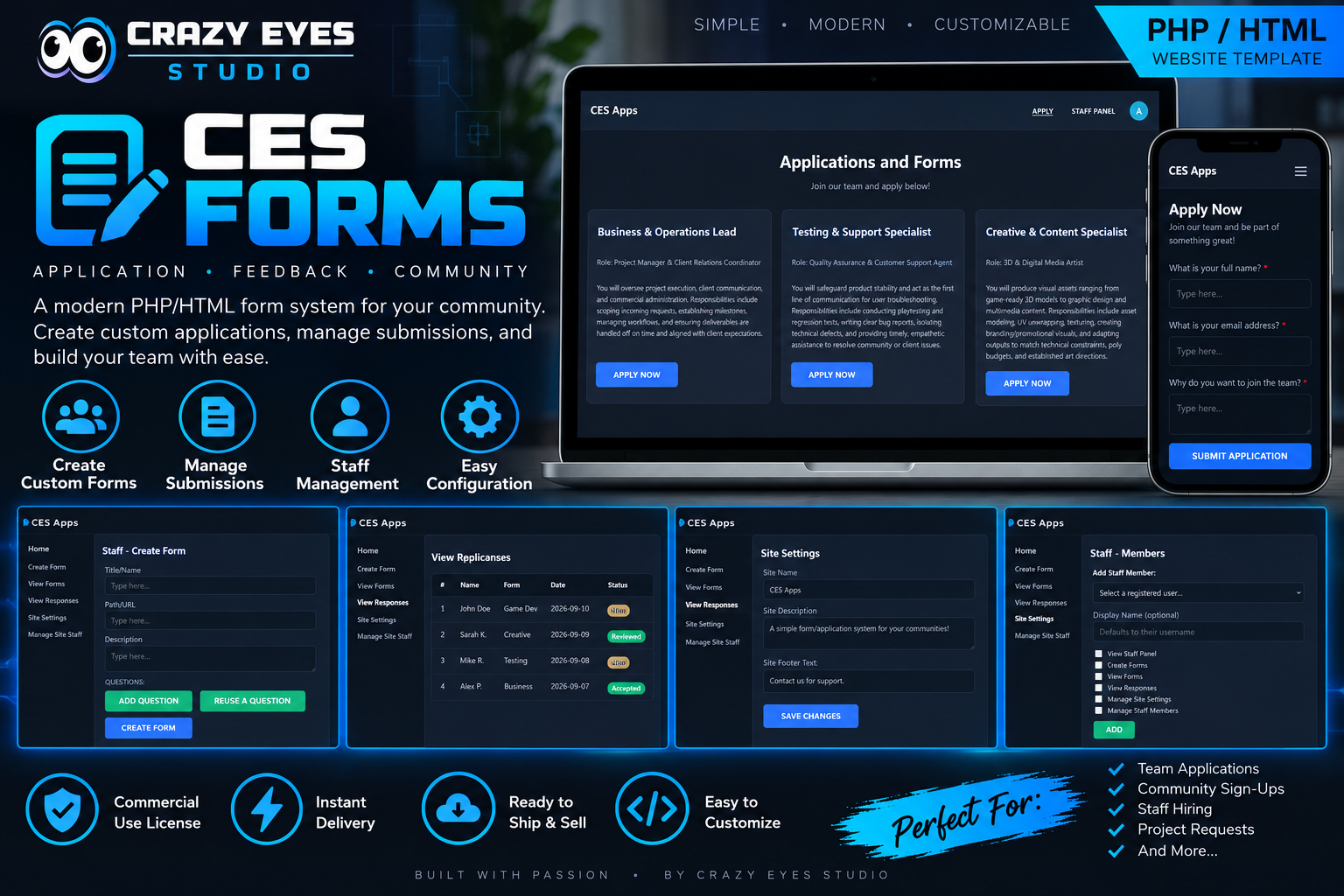
CES Forms by Crazy Eyes Studio is a powerful digital solution for creating, managing, and submitting custom forms in your community. This PHP/HTML template offers a simple, modern, and fully customizable interface suitable for team applications, feedback, and community sign-ups. Enjoy instant delivery, commercial use, easy configuration, and self-management options, making it perfect for any project looking to simplify form submissions and team building.
Can be seen
Documentation
CES RedAdmin
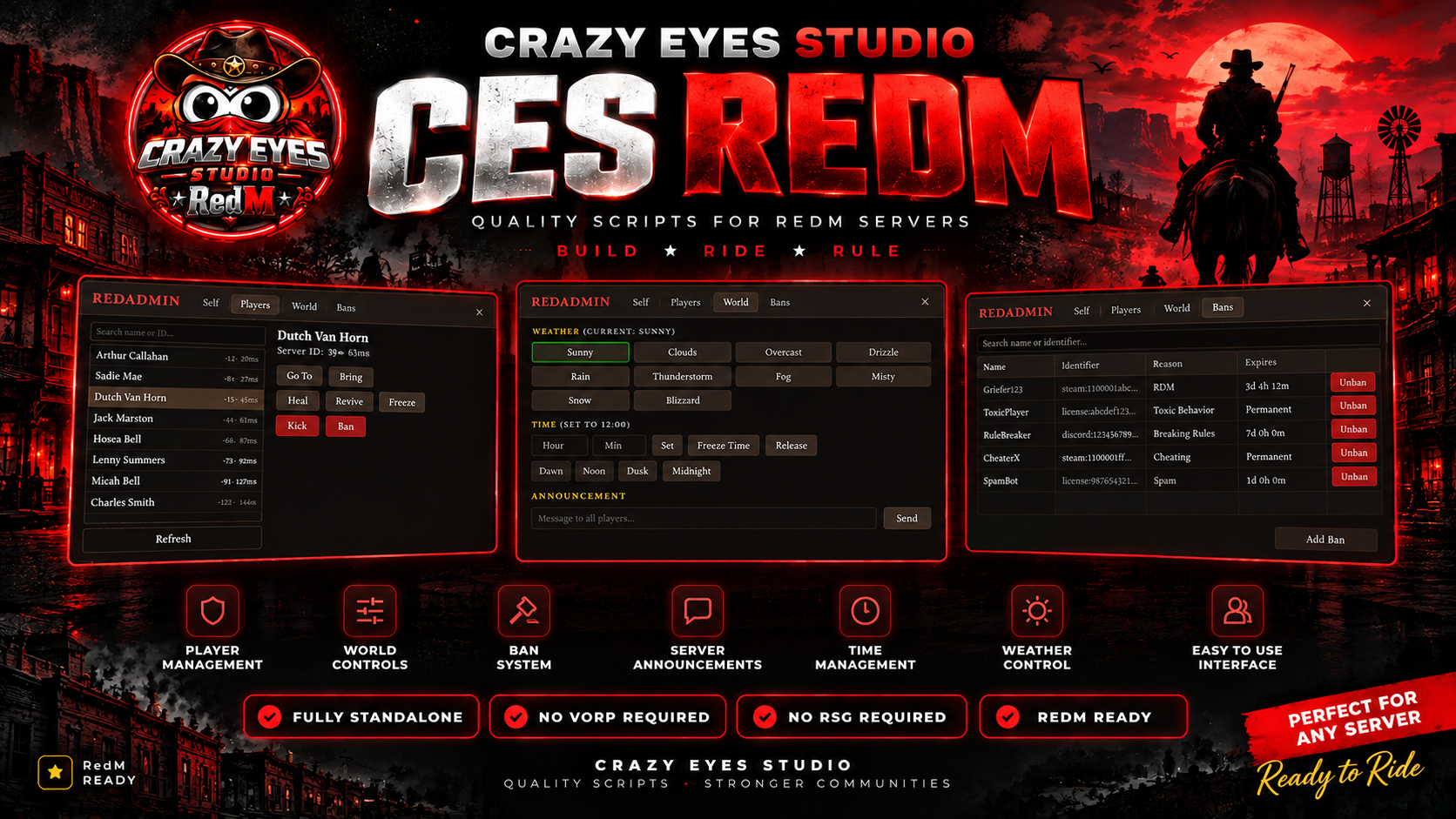
RedAdmin — Powerful Administration Tools for Your RedM Server
Take control of your RedM server with RedAdmin, a lightweight and modern standalone administration menu built for server owners, administrators, and staff teams.
RedAdmin gives authorized staff access to essential player, world, teleportation, moderation, and server-management tools from one easy-to-use in-game interface.
No VORP. No RSG. No framework required.
🔥 Key Features
- Modern in-game administration menu
- Fully standalone RedM resource
- No framework required
- ACE permission-based access
- Server-side permission validation
- Player search and management
- Kick and ban players
- Persistent ban system
- Ban reasons and Ban IDs
- Unban players directly from the menu
- Admin action logging
- Optional Discord logging
👤 Player Management
Manage players directly from the administration menu without relying on external tools.
- View online players
- Search players
- Teleport to players
- Bring players to you
- Heal players
- Revive players
- Freeze and unfreeze players
- Kick players with a reason
- Ban players with a reason
🚫 Persistent Ban System
RedAdmin includes its own lightweight ban system that stores bans directly within the resource.
- Persistent bans
- Unique Ban IDs
- Ban reasons
- Administrator information
- Ban date and time
- Automatic connection checks
- Unban directly from the admin menu
- Console support for unbanning
Bans are matched using supported player identifiers while avoiding IP-based bans.
👻 Noclip
Move around your server quickly with the built-in noclip system.
- Camera-relative movement
- WASD movement
- Vertical movement
- Adjustable movement speeds
- Speed cycling
- Optional invisibility
- Works with your horse or wagon
📍 Teleportation Tools
Get around the map quickly with multiple teleport options.
- Teleport to map waypoint
- Teleport to preset locations
- Teleport to custom coordinates
- Automatic ground detection
- Teleport directly to another player
- Bring another player to your location
Preset locations can be customized through the configuration file.
🌦️ World Controls
Administrators can control the server environment directly from the menu.
- Change weather
- Change server time
- Freeze time
- Release the time override
- Synchronize weather and time with players joining later
🐎 Horse Tools
Quickly spawn and mount configured horses directly from the administration menu.
The available horse list can be customized in config.lua.
📢 Server Announcements
Send server-wide announcements directly from the administration menu.
Announcements are displayed to players through the RedAdmin notification system.
🔐 Secure ACE Permissions
RedAdmin uses the RedM server's ACE permission system to control access.
Every administrative action is checked server-side, helping prevent unauthorized clients from calling administrative actions directly.
You control who has access through your server.cfg.
📊 Admin Logging
Keep track of administrative actions with built-in logging.
- Server console logging
- Optional Discord webhook logging
- Administrator identification
- Action details
- Target player information when applicable
⚙️ Easy Configuration
Most server-owner settings are located in a single config.lua file.
Customize:
- ACE permissions
- Admin commands
- Noclip speeds
- Noclip visibility
- Discord logging
- Ban file location
- Weather options
- Teleport locations
- Available horses
📦 What You Get
- RedAdmin RedM resource
- Modern NUI administration menu
- Player management system
- Persistent ban system
- Noclip system
- Teleportation tools
- Weather and time controls
- Horse spawning tools
- Server announcement system
- ACE permission integration
- Console and Discord logging
- Configurable settings
📌 Requirements
RedM — No VORP, RSG, QBR, or other framework is required.
RedAdmin is designed as a fully standalone RedM administration resource.
🚀 Built for RedM Server Staff
Whether you're running a small private server or a large roleplay community, RedAdmin puts the essential administration tools your staff need into one simple interface.
Manage. Moderate. Control.
RedAdmin — Built by Crazy Eyes Studio for RedM communities.